
Spoof My Text1.0.1 - Get APK
You'll be able to download in few seconds.
Publisher Description
★
Spoof My Text
★
Spoof my Text has the ability to change your Caller ID while text messaging friends and family. It will Spoof the ID of any number you wish and be able to send text messages to any number using the ID you have Spoofed. Spoof My Text makes it easy to fake a message. Be able to trick friends and enemies at any time with this super awesome app! If you like this awesome app and 2 FREE texts aren't enough, simply buy more! The prices are cheap and it's completely worth all the fun you will have!
How it Works:
[1] Select a phone number you wish to spoof.
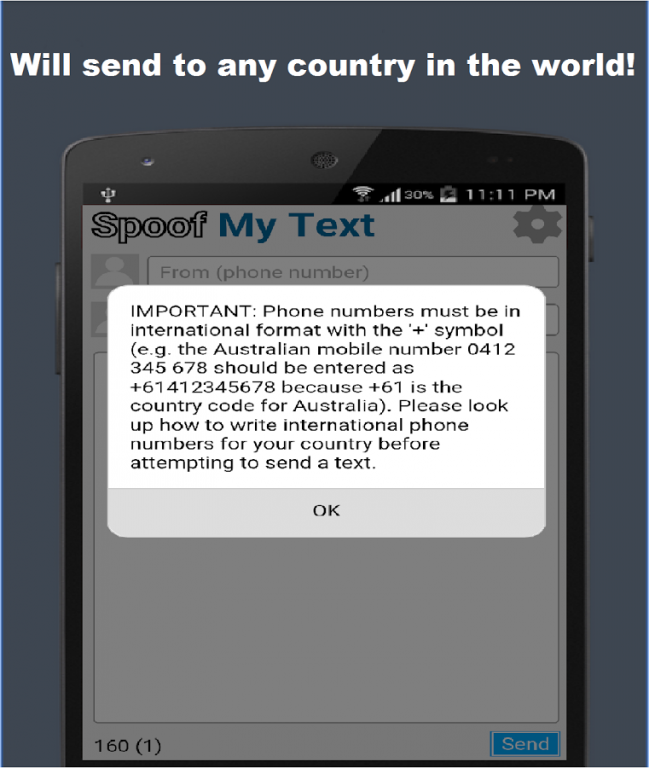
[1.1] Phone Number must begin with "+" then Country Code, followed by Area Code, followed by Phone Number.
[2] Select a phone number you wish to send the message too.
[2.1] Phone Number must begin with "+" then Country Code, followed by Area Code, followed by Phone Number.
[3] Write the message you wish to send.
[4] Send the message.
Features:
• 2 FREE texts
• Spoof ANY number
• Like our Facebook Page!
• Language Filter - No bad words allowed!
In-App Prices:
• Add 10 Texts - $2.50 AUD
• Add 20 Texts - $4.00 AUD
• Add 50 Texts - $7.50 AUD
• Remove "Sent with Spoof My Text App" - $5.00 AUD
This App will NOT spoof to USA / Canadian numbers. However you can spoof USA / Canadian numbers to other country phone numbers.
FAQ
Q: Why when I messaged to my own number I didn't receive the text message?
A: Text messages cannot be sent to the same number using the same caller ID to spoof.
Q: When I tried to make a In-App purchase the button didn't work?
A: Sometime this problem occurs, the simple solution is to close the app entirely, sometimes smart phones will run it in the background with all the apps you have opened, make sure to close it completely, then when you re-open it will work.
Q: Why do i have to pay for more messages?
A: Each text costs money to send that we have to pay, we simple charge the cheapest price to keep this feature available for everyone to enjoy.
Q: When i sent my message it says "Sent Message" but they never received it?
A: If this occurs its HIGHLY likely you did not enter the phone number correctly, in which case either follow our simple step by step instructions or research on how to send text messages in your Country + Area.
Q: When I unlocked the "Sent by Spoof My Text" in-App purchase why is there still a " * " symbol there?A: The Unlock is to remove the text, the " * " we have chosen to leave there for our own purposes.
Q: When I wrote my message and it said sent, why did i lose 2 credits?
A: Each text has a capacity of 160 characters, once you reach your text capacity it increases the text size to 2 text.
Note: To use Spoof My Text, you will need to accept the Disclosure & Disclaimer, which will result in you being completely responsible for how you use the Spoof My Text App, if the user does not agree to these terms and conditions the App will not be available for you to use.
About Spoof My Text
The company that develops Spoof My Text is Dream App Software Pty Ltd. The latest version released by its developer is 1.0.1.
To install Spoof My Text on your Android device, just click the green Continue To App button above to start the installation process. The app is listed on our website since 2015-06-22 and was downloaded 0 times. We have already checked if the download link is safe, however for your own protection we recommend that you scan the downloaded app with your antivirus. Your antivirus may detect the Spoof My Text as malware as malware if the download link to com.dreamappsoftware.spoofmytext is broken.
How to install Spoof My Text on your Android device:
- Click on the Continue To App button on our website. This will redirect you to Google Play.
- Once the Spoof My Text is shown in the Google Play listing of your Android device, you can start its download and installation. Tap on the Install button located below the search bar and to the right of the app icon.
- A pop-up window with the permissions required by Spoof My Text will be shown. Click on Accept to continue the process.
- Spoof My Text will be downloaded onto your device, displaying a progress. Once the download completes, the installation will start and you'll get a notification after the installation is finished.
Program Details
System requirements
Download information
Pricing
Version History
version 1.0.1
posted on 2015-06-22
- Fixed bugs,- Added Facebook like button
Disclaimer
External Download
We do not host Spoof My Text on our servers. We did not scan it for viruses, adware, spyware or other type of malware. This app is hosted by Galad and passed their terms and conditions to be listed there. We recommend caution when installing it.
The APK Download link for Spoof My Text is provided to you by apps112.com without any warranties, representations or guarantees of any kind, so access it at your own risk.
If you have questions regarding this particular app contact the publisher directly. For questions about the functionalities of apps112.com contact us.
